ENTRY / 005/ LOG 2026.08/ TYPE INFRASTRUCTURE
Keeping a Changing IP Behind a Stable Name
A project note on building a Cloudflare DDNS Manager for self-hosted services, where a changing public IP should not mean a changing address for the people who use them.
- PUBLISHED26 AUGUST 2026
- TYPEINFRASTRUCTURE
- READ6 MIN
Why I built it
A changing public IP is a small infrastructure problem until it interrupts something people expect to reach by name. A dashboard, personal site, monitoring endpoint or private service can be running perfectly, yet become unreachable because the address behind its DNS record has moved.
I built Cloudflare DDNS Manager to keep that boundary simple. It is a web interface for managing selected Cloudflare DNS records that should follow the current public IP address of a self-hosted connection. Instead of treating dynamic DNS as a cron job hidden in a server corner, the project gives it a management surface, status information and an audit-friendly workflow.
Dynamic DNS in plain terms
A domain name gives people a stable address to remember. Dynamic DNS keeps that name pointed at the correct public IP when an Internet provider changes it.
service.example.com
        ↓
Cloudflare DNS
        ↓
Current public IP
        ↓
Self-hosted service
When the public IP changes, the manager detects the new address and updates the selected Cloudflare A or AAAA record through Cloudflare's API. Visitors can continue using service.example.com without needing to know that the connection underneath has changed.
Why Cloudflare
Cloudflare is already where many people manage their DNS, domains and edge controls. Using its API means the record update can happen where the source of truth already lives. The manager can work across multiple domains and subdomains, while allowing the operator to choose which records are actually under automatic management.
That matters because not every DNS record should follow a home or small-office Internet connection. The goal is selective automation, not a blanket rewrite of a zone.
What I built
Cloudflare DDNS Manager combines external IP detection, Cloudflare A and AAAA record management, a scheduler concept and a web-based control surface. The application can check the current address, compare it with the selected records and update only when there is a meaningful change. It also exposes system and status information, including Cloudflare proxy state where relevant.
The interface is part of the project, not an afterthought. Dynamic DNS is usually treated as configuration and logs. I wanted a place to see what is being managed, what happened during the last synchronization and where a problem sits when a record has not moved as expected.
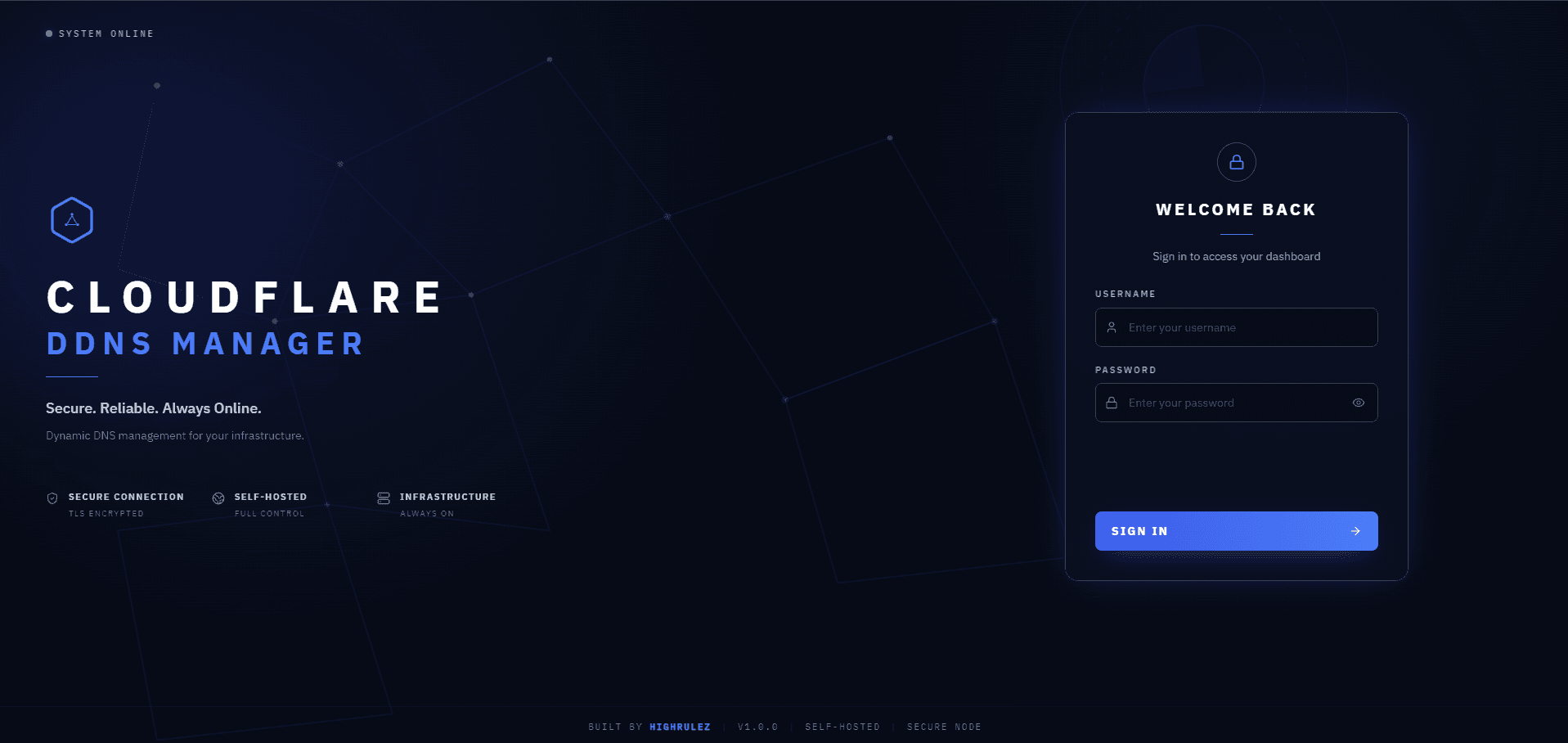
Cloudflare DDNS Manager login screen. The application is protected before any DNS controls are exposed.
Beyond Synology
My current deployment uses Synology, but the project is not a Synology-only DDNS application. The underlying idea is useful wherever someone is self-hosting behind a changing public IP and can run the application with access to Cloudflare's API.
That can include a Docker host, home server, mini PC, Linux server, NAS or similar environment. Synology is the environment I use today, not a requirement of the design. It is intended to be generally useful, while not claiming that every possible platform has been tested.
Who it can help
This is useful for home lab users, self-hosters, developers, small server operators, NAS users and people running selected services behind their own domain. Typical examples include:
- Personal websites and project pages
- Home lab dashboards and monitoring systems
- NAS services and remote access endpoints
- Development environments and APIs
- Private infrastructure that needs a stable name
- Docker-based services hosted from home or a small office
The common thread is an Internet connection that does not have a permanently assigned public IP, but still needs a predictable domain name.
A practical example
Imagine someone hosting an application at app.example.com. Their ISP changes the public IP overnight. Without dynamic DNS, the Cloudflare A record still points to the old address and the application appears offline.
With a selected record under management, the DDNS manager detects the new address and updates the record. The application remains available through app.example.com, while the network change stays in the background where it belongs.
Security is still part of the job
DDNS solves DNS synchronization. It does not make an exposed application safe by itself.
Any service reachable from the Internet still needs appropriate HTTPS, authentication, firewall rules, reverse proxy controls, TLS configuration and access restrictions. Cloudflare API tokens should follow least-privilege principles. Administrative surfaces deserve their own protection, including MFA where it is available, and diagnostics should never expose addresses, tokens or deployment secrets.
That security work shaped the project. Authentication, MFA-related design, Cloudflare proxy awareness and careful status information are all part of making a DNS automation tool safe enough to operate.
What this project taught me
Cloudflare DDNS Manager sits at the point where networking, DNS, Docker, APIs and automation meet. The project made a familiar infrastructure task more visible and more deliberate. It also reinforced a useful rule: simple automation still needs an operator experience, clear boundaries and security decisions that are made on purpose.
The result is not a promise that every self-hosted service should be public. It is a way to keep selected, intentionally exposed services aligned with the address they are actually reachable on.
Looking ahead
There is room to keep refining scheduling, record visibility and operational feedback as the project evolves. For now, the important part is already in place: a practical Cloudflare Dynamic DNS control plane for self-hosted infrastructure that needs a stable name while the public IP underneath can change.